
PDFs are easy to share, but not so easy to change. If someone sends you a chord sheet and you need to play it in another key, you usually end up rewriting the chords yourself.
Today, Fretlist gets a big update: you can now add PDFs, scans and photos to your songs. Keep the original sheets, play from them on stage, or turn them into editable chord charts you can transpose.
Here's how it works.
From PDF to chord chart
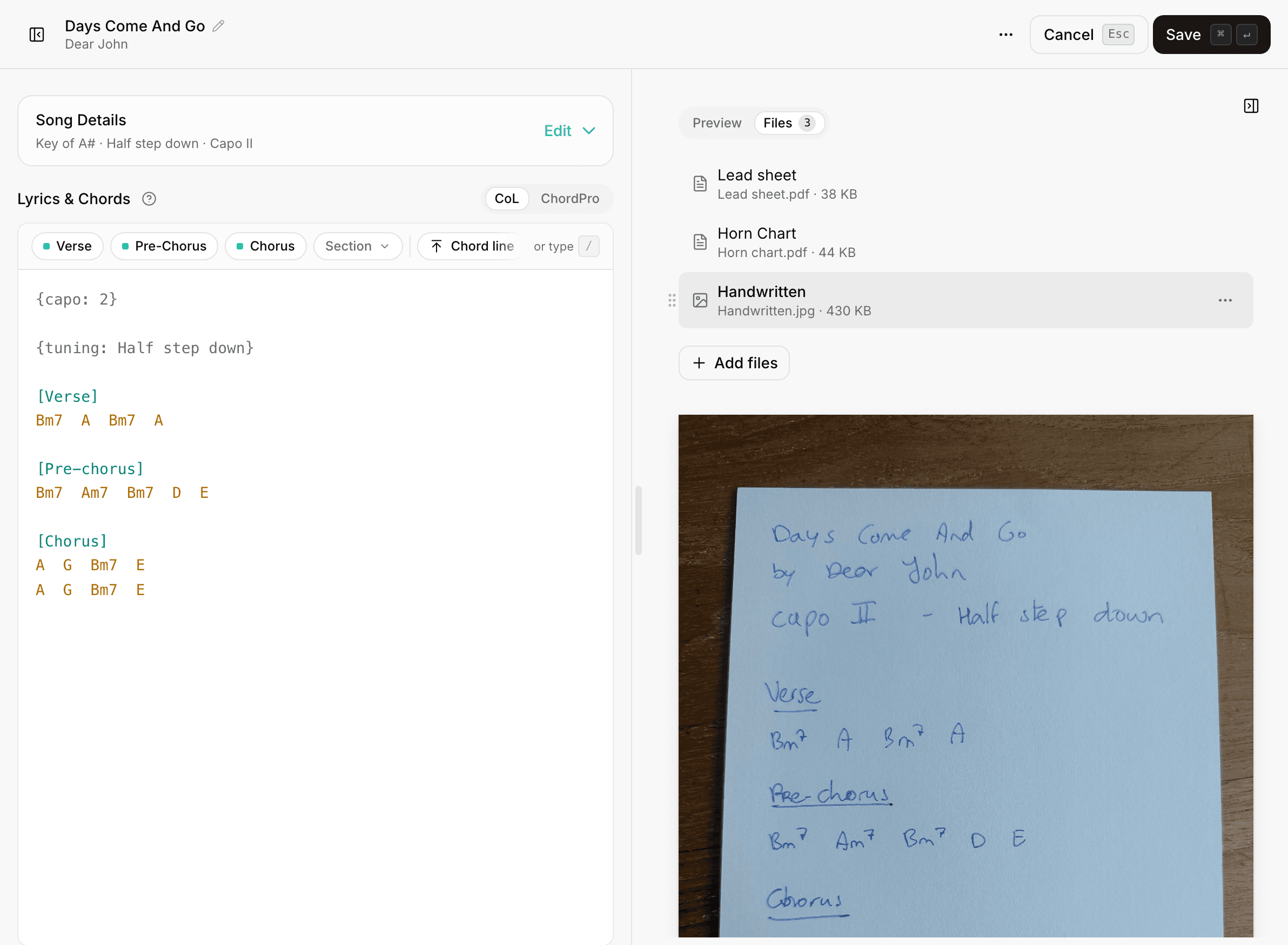
Add a PDF or photo to a song and click Convert to Chart. Fretlist reads the file, extracts the lyrics and chords, and turns them into a regular Fretlist chord chart.
Fretlist reads a text-based PDF with its own engine. AI only helps with scans, photos and handwritten sheets.
The chords sit above the lyrics, just as they would in a song you created yourself. You can edit the result, transpose it to another key, change the capo and use it in Play Mode.
Fretlist also tries to pick up the title, artist, key and capo position from the original sheet.
And the original file? That stays with the song, so you can always go back to it.
Keep your original sheets
Not every piece of sheet music needs to be converted. Some arrangements work perfectly well as PDFs.
You can now attach multiple files to a song. A lead sheet, a handwritten arrangement, a scan from a songbook or a photo someone sent you.
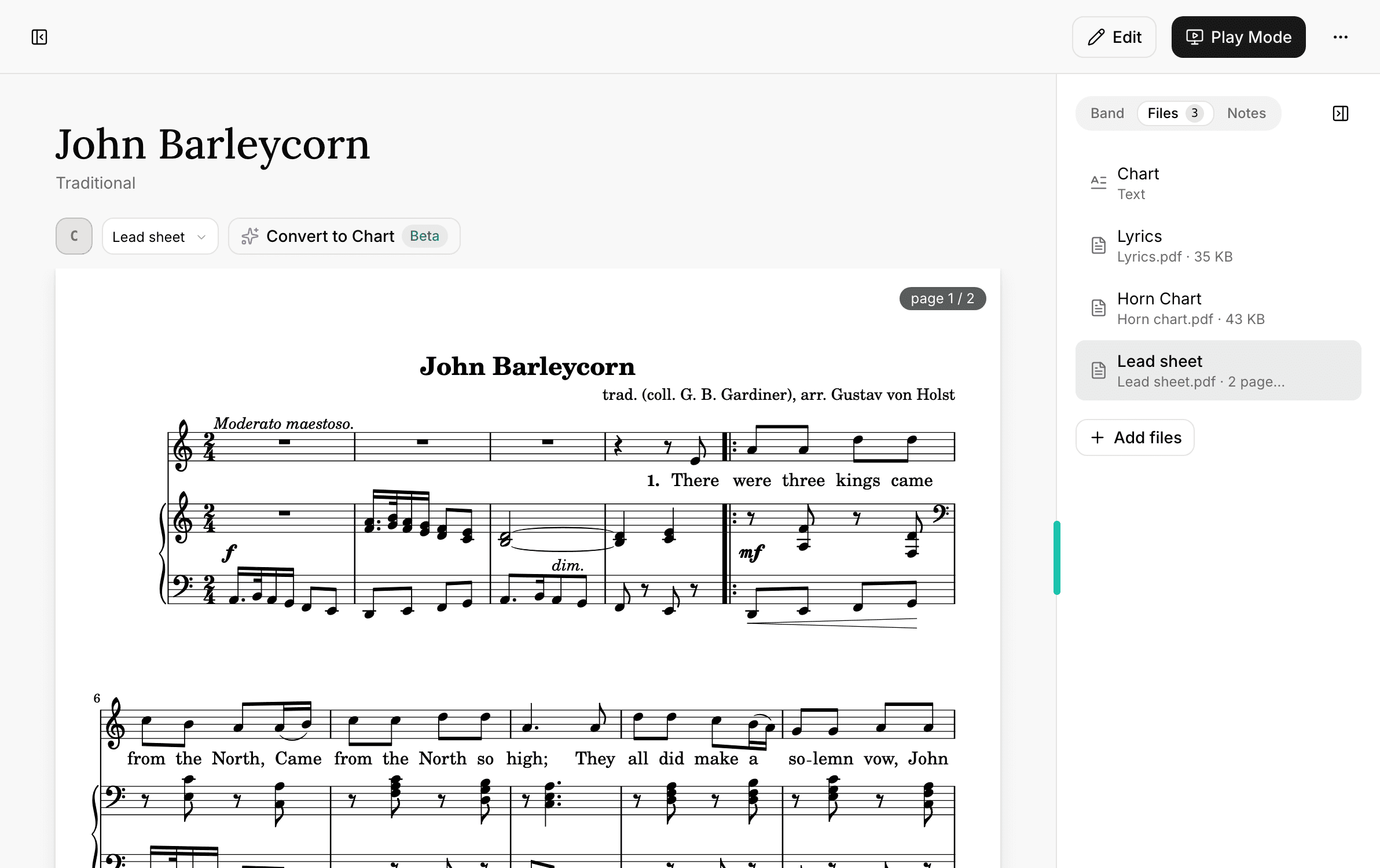
Open any of them directly in Play Mode, add notes with a pen or highlighter, and use them offline during rehearsals and gigs.
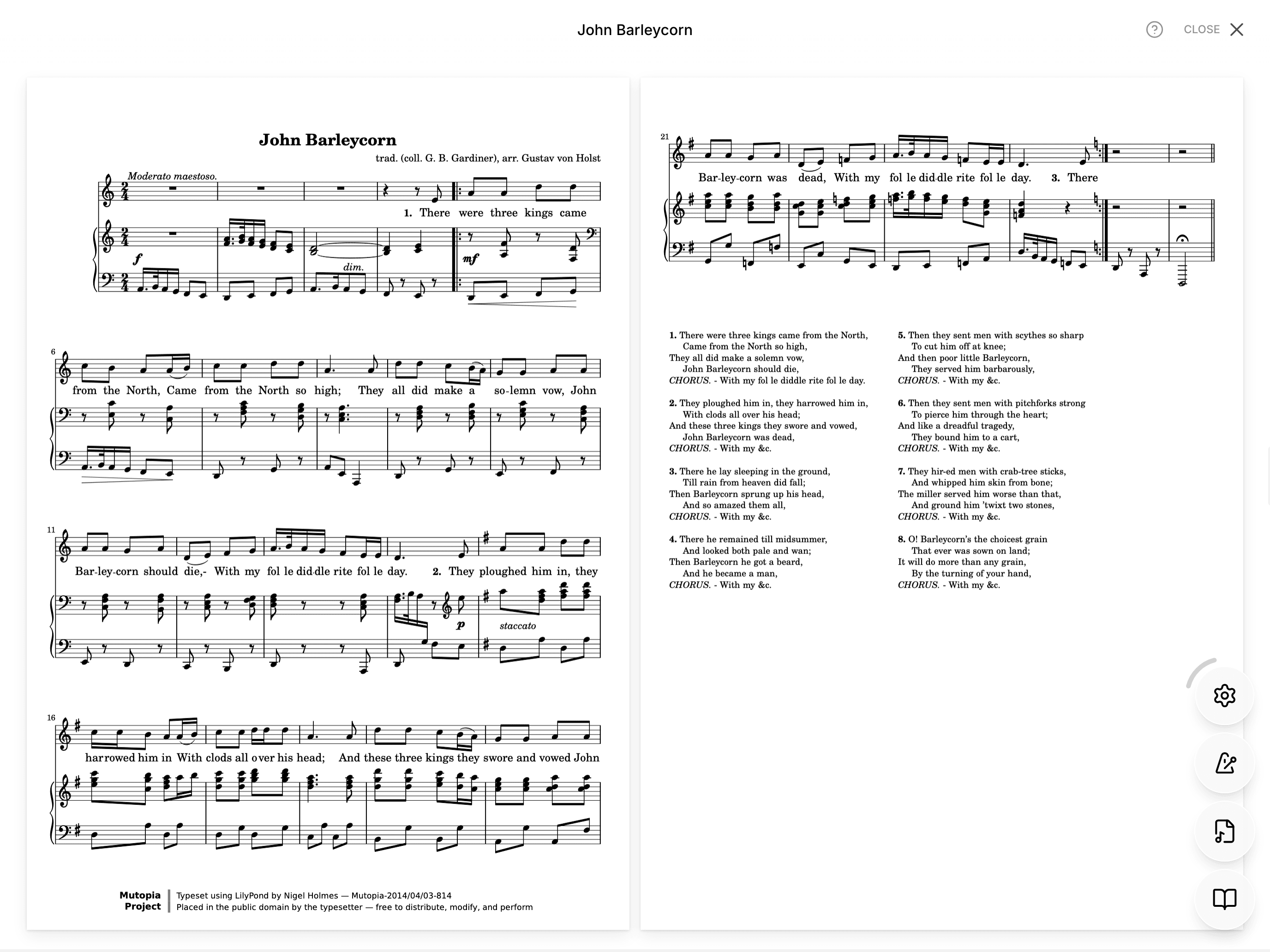
Your files stay with the song, alongside its chords, lyrics and other information.
Different sheets for different band members
When you play in a band, not everyone needs to see the same sheet.
A singer might prefer the lyrics and chords, while a horn player needs their own arrangement.
In Fretlist for Bands, you can attach both to the same song. Each band member chooses which sheet to display, and Fretlist remembers their preference.
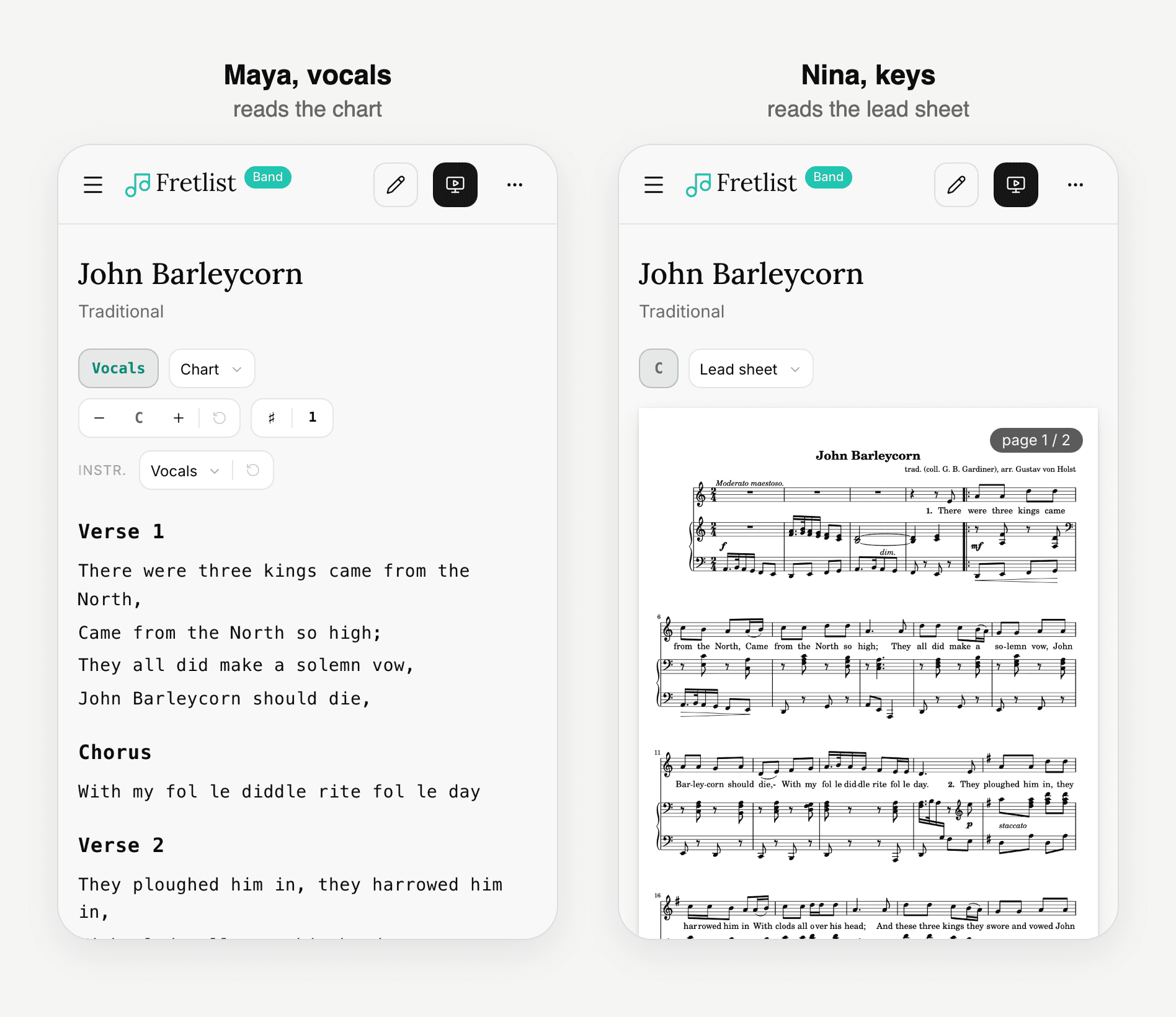
One song in the shared library, without everyone having to read the same arrangement.
Bringing your PDFs from another app
Already using OnSong or SongbookPro?
Fretlist can now bring along PDFs attached to songs when you import a backup. You don't need to add those files again by hand.
This also works if you have a collection of PDFs and scans outside another app. Add them to Fretlist, keep them as they are, and convert the ones you want to edit or transpose.
If you're switching from SongbookPro, the import guide walks you through it.
How the conversion works
Fretlist uses its own conversion engine for text-based PDFs. For scanned pages, photos and handwritten sheets, AI helps recognize the content and put the chords and lyrics in the right places.
Convert to Chart is currently in beta. Results depend on the quality and layout of the original file, and particularly complicated sheets may need some manual corrections.
Check the converted chart before using it at a gig. If you find something that doesn't work, let me know. I'm still improving the conversion process.
Try it with your own sheets
The goal is simple: you shouldn't have to rebuild your entire music collection just to use Fretlist.
You can now bring along the sheets you already have, keep them organized with your songs, and turn them into transposable chord charts when you need to.
Get started with Fretlist. The Free plan includes 50 songs and 3 setlists, with all features included.
For more details, see the Files documentation.