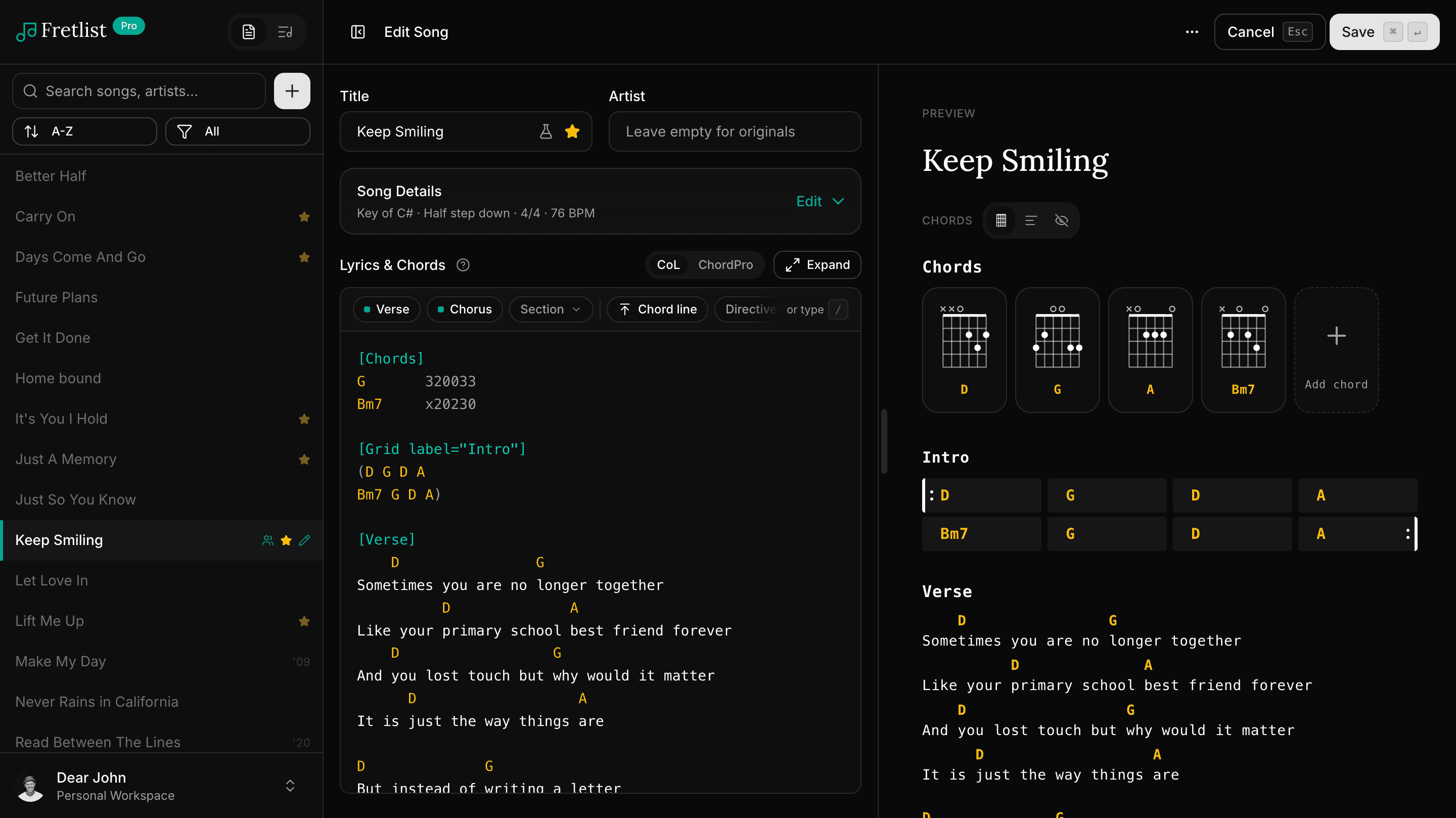
What makes a good ChordPro editor (and how Fretlist's works)
A ChordPro editor should color your chords, write the braces, show a live preview and keep your file intact. Here is how Fretlist's does it.
16 October 2026 · 5 min read
Type up songs at the desk, play them from the iPad on stage. One account, every device, including the Android phone of whoever joins the band next.
Hundreds of musicians, from practice to the stage34,000+ songs added94% of songs imported from other apps
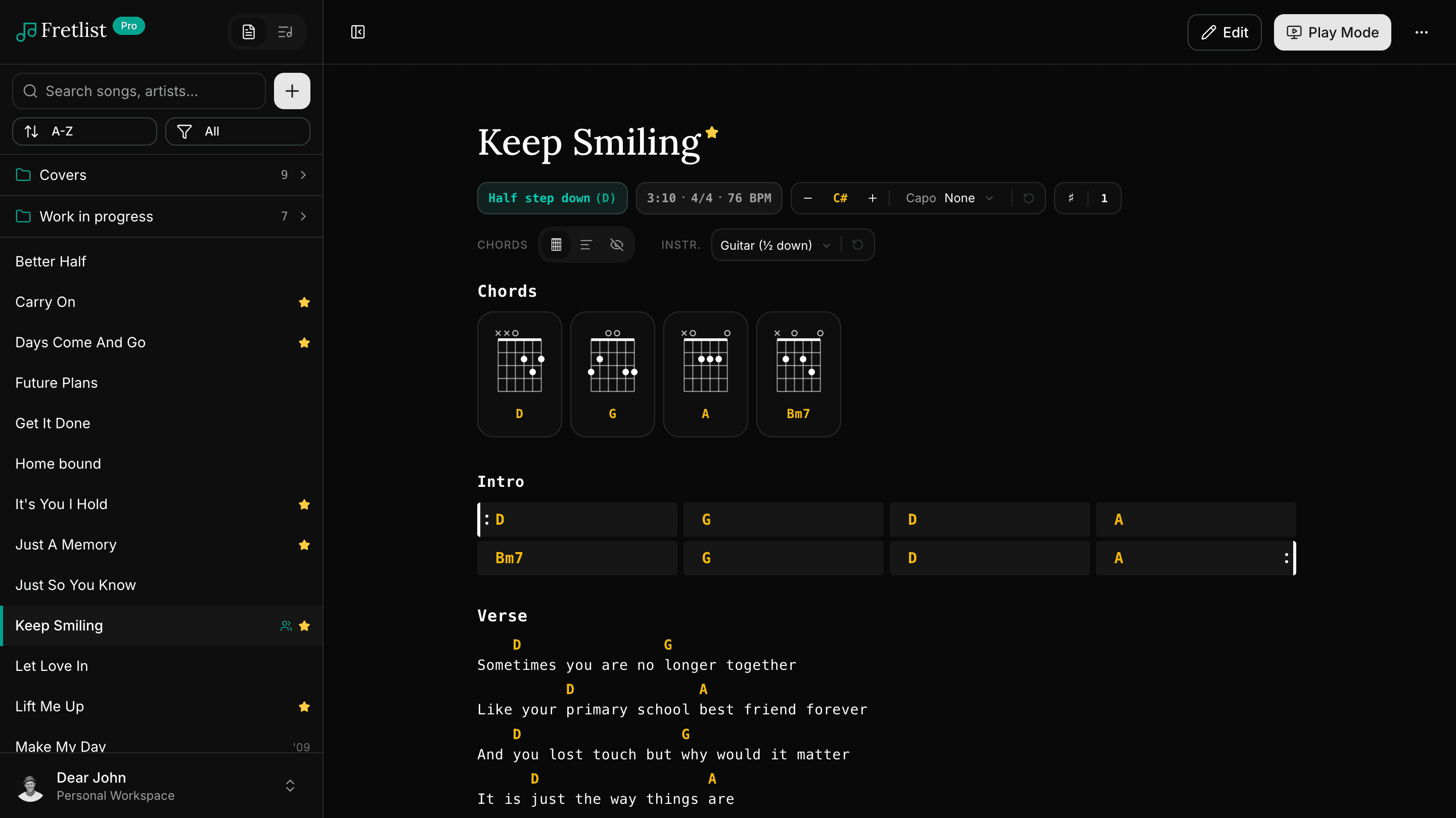
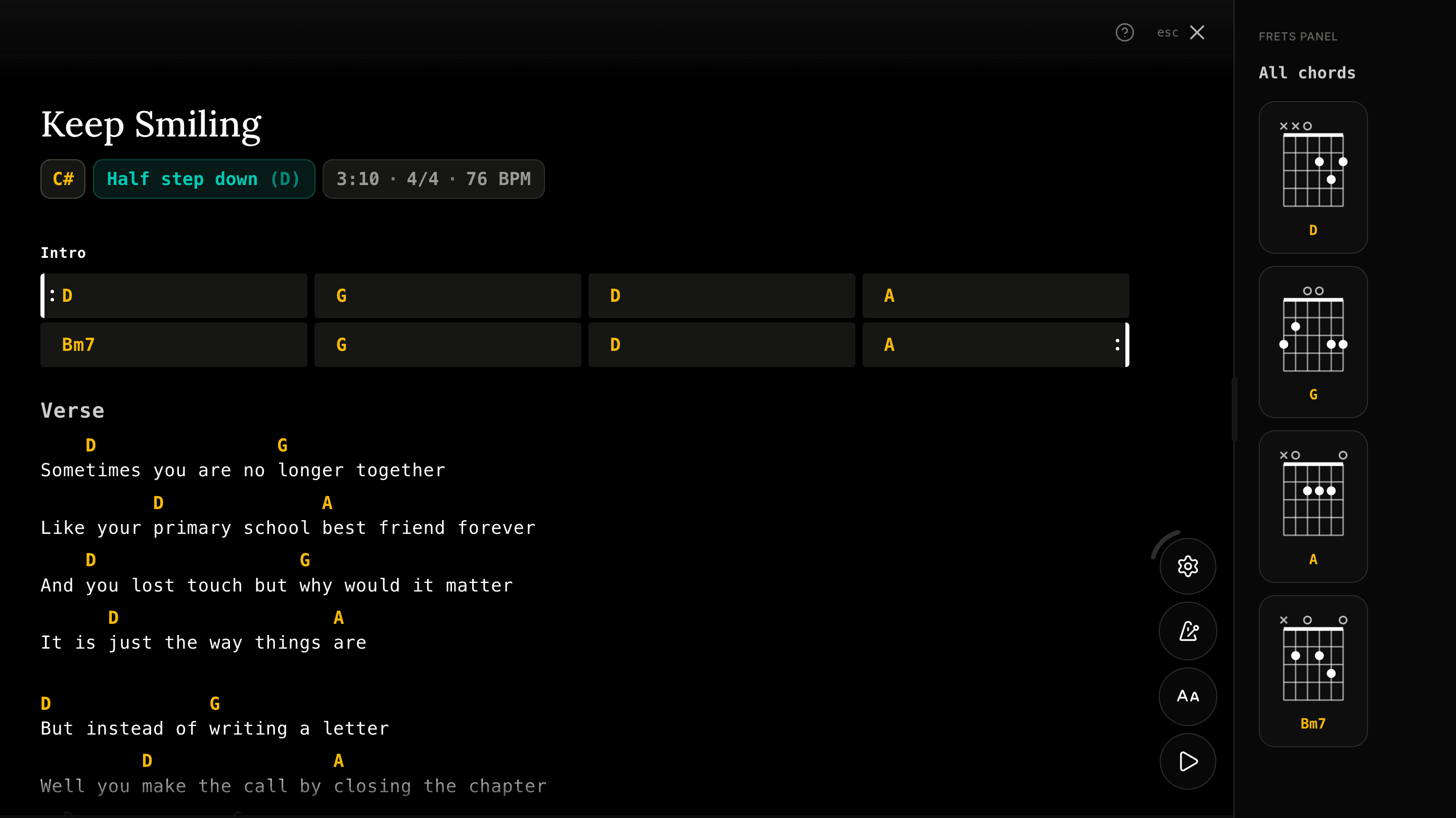
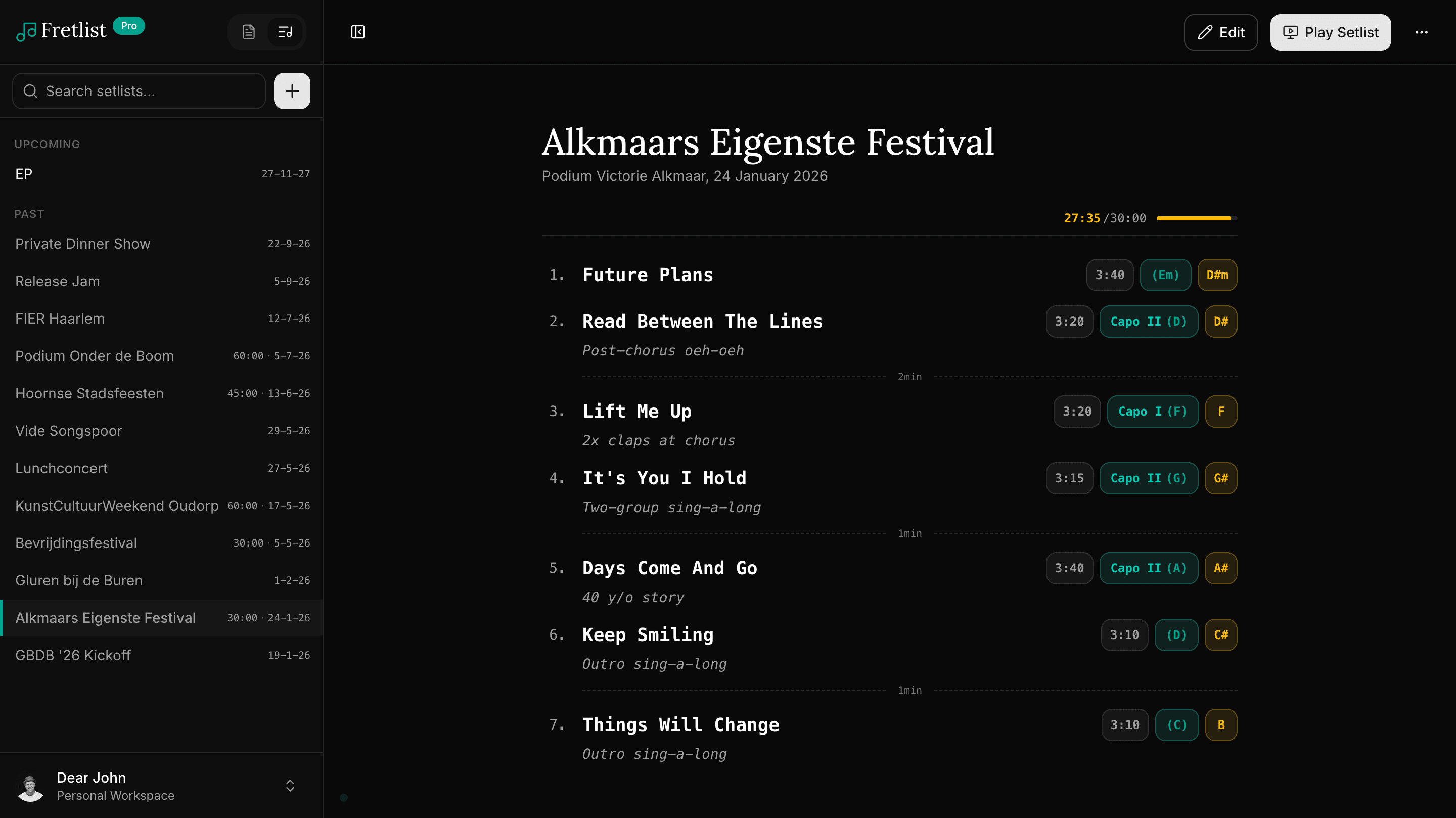
Plenty of chord sheet apps run on the Mac now, and most of them stop at Apple's fence. The moment a bandmate brings a Windows laptop or an Android tablet, sharing a library gets awkward.
Fretlist runs in Safari or Chrome on the Mac, installs to the Dock from the browser, and keeps the same songs on every device anyone in the band owns. Edit at the desk, play from the stage.
On Mac you install from Safari or Chrome. It takes under a minute.
Fretlist lands in your Dock and opens in its own window. Your songs are there without a connection.
| App | On Mac |
|---|---|
| OnSong | Yes, on macOS 12 or newer, with the same subscription as the iPad version. |
| forScore | Yes, one purchase covers iPad, iPhone and Mac. Built for PDF sheet music. |
| SongbookPro | Yes, the iPad app runs on a Mac with Apple silicon (macOS 15 or later, from the Mac App Store), on the same purchase as iOS. Android and Windows are sold separately (checked 19 Oct 2026). |
| BandHelper | Yes, a Mac app plus the web version. |
| Fretlist | Yes. Installs from Safari or Chrome, one account for every device. |
Fretlist reads OnSong and SongbookPro backups directly, and imports ChordPro, PDF, Word and ZIP files in bulk. Paste a song from Ultimate Guitar and it comes in as a chord sheet. Songs, setlists, keys and capo settings all come across.
Full-screen chord sheets with auto-scroll, a metronome, section navigation and a wake lock so the screen stays on. A Bluetooth page turner or keyboard works for hands-free song changes. Dark mode included.
Your songs and setlists are saved on the device, so they keep working without internet. Rehearsal rooms and stages rarely have a good signal, and the app does not need one.
Change the key or set a capo and every chord in the sheet follows. The setting is saved per song and synced, so the tablet shows what you set on the laptop.
Edit on the laptop at home, it's already on your tablet at rehearsal. No cables, no exports, no “which version is the latest.”
Your songs and setlists are saved on your device, so they keep working without internet. At home, at rehearsal or on stage.
No store, no download. Add it to your home screen or dock from your browser and it opens full-screen like any other app.
“Your ChordPro support is the real differentiator for me, creating from scratch is much much easier.”
Open fretlist.com in your browser, add it to your Dock, and have your songs on the iPad before the next rehearsal. Free to start.
A ChordPro editor should color your chords, write the braces, show a live preview and keep your file intact. Here is how Fretlist's does it.
16 October 2026 · 5 min read
Fretlist isn't in the App Store or Google Play Store. It installs straight from your browser onto an iPhone, iPad, Android phone, Mac, or Windows PC, so it lives on your home screen and works offline.
Updated 19 October 2026
Switching from OnSong? Fretlist imports your OnSong backup in one go and runs on iPad, Android, Windows and Mac, with offline Play Mode for the stage. Free to start.