The search box at the top of the song list searches your own library: your titles, artists, tags and folder names. Fretlist has no catalog of chord sheets. Every song in a Fretlist library was brought in by the musician who plays it, because handing out other people's lyrics and chords is not allowed.
So a song you have not added yet is not there. What you can do is start it from the search anyway.
Search for the song
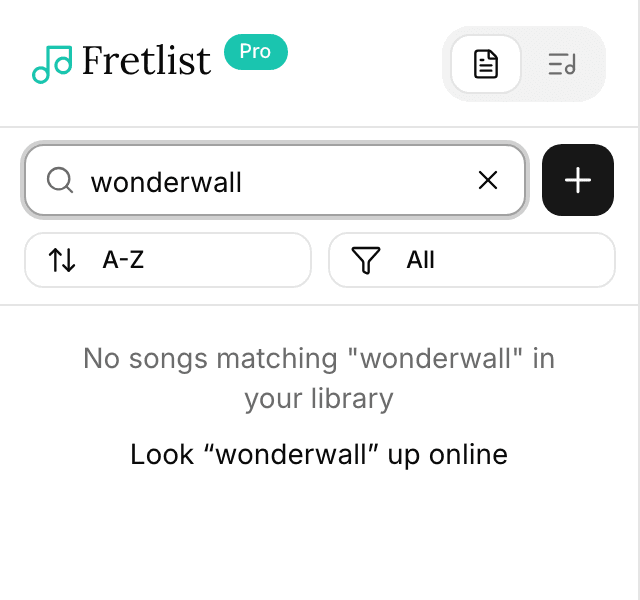
Type the song's name in the Search songs, artists... box above the song list. If a song in your library matches, it shows as usual.
If nothing matches, the list says No songs matching "..." in your library and offers to look it up online: Look "..." up online, with what you typed. Until you have added a song of your own, a note above the offer says the one thing to know: Fretlist doesn't have a song catalog, add your own.
Pick the song you mean
The lookup shows up to five songs with that name, under Found online: each row is the title with the artist in parentheses. Pick the one you mean.
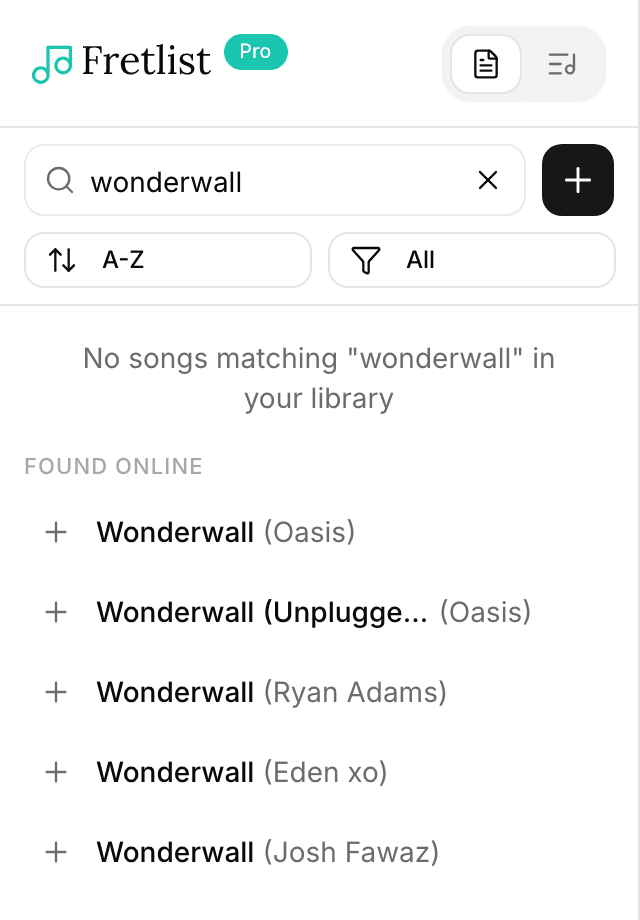
A song that was never released, or one you know under another name, may not turn up. The lookup then says Nothing found online either. Until you have added a song of your own, it also offers Create new song or Import, and the same two links sit under the results for a song that is not among them. Otherwise use the Add new button beside the search box.
Bring the chords and lyrics
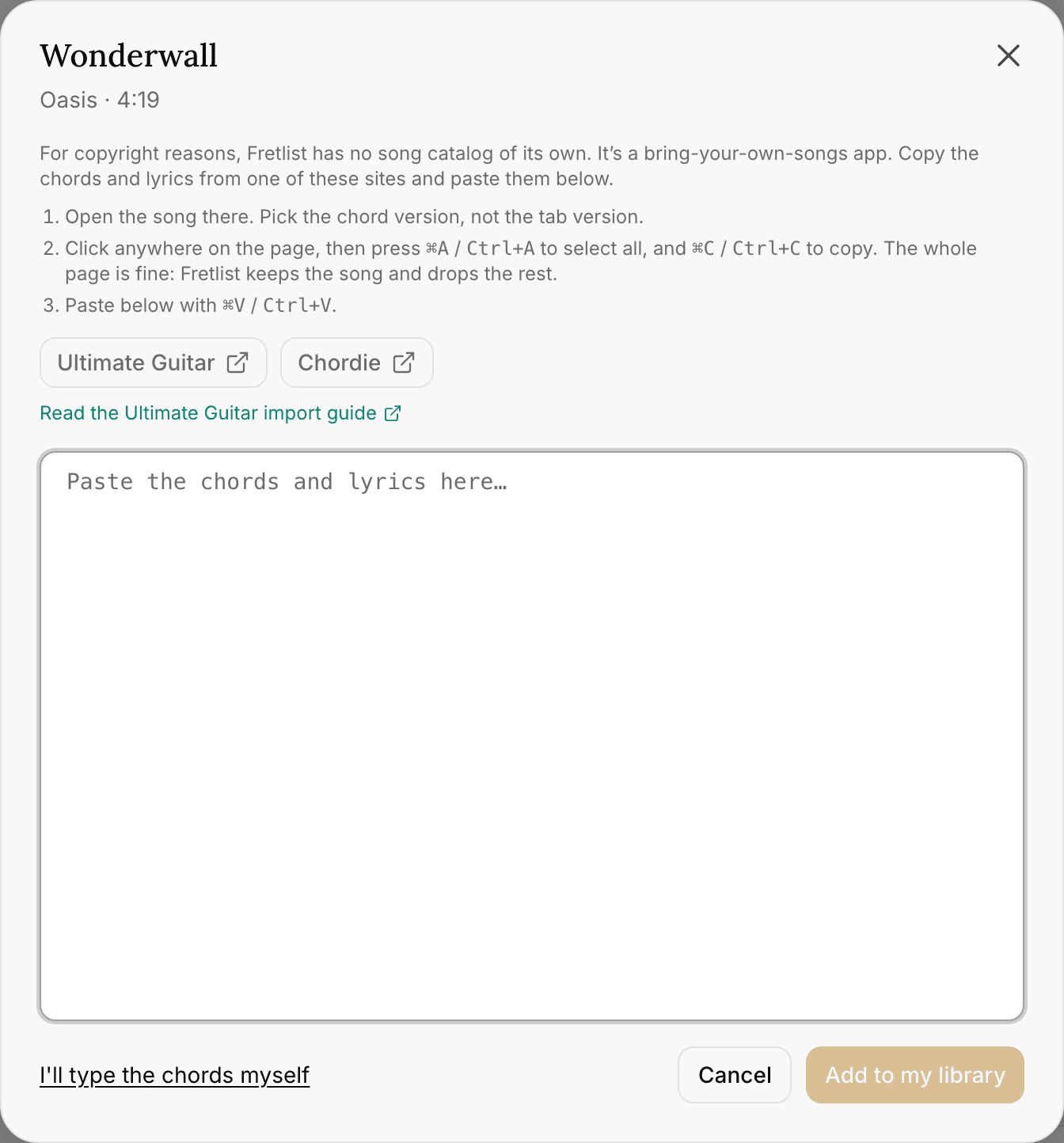
Picking a song opens a dialog with its title, artist and length. It says why the chords and lyrics are yours to bring (for copyright reasons, Fretlist has no song catalog of its own: it's a bring-your-own-songs app) and gives you two places to get them: Ultimate Guitar and Chordie, each opening a search for that song. Open the song there, pick the chord version, select the whole page and copy it, then paste it into the box. The whole page is fine: Fretlist keeps the song and drops the rest.
On your phone
The Ultimate Guitar app has a cleaner route than the website, and the dialog shows its steps when you are on a phone.
- iPhone and iPad: in the Ultimate Guitar app, open the song, tap the three dots, then Share, Open with…, Copy. Paste into the box. The copy comes as a file, and the box reads it.
- Android: the app's Share, Open with…, Fretlist route opens Fretlist's import card with the song instead. That path does not know the title and artist you picked, so the editor asks for them.
Add to my library saves the song with the title, artist and length from the lookup and the chart from your paste. Fretlist reads the key, capo and tuning from the pasted text where it can, and keeps the title and artist you picked. The song opens right away.
If the pasted text has no chords Fretlist can read, the song is saved with its title and opens in the editor, so you can paste again or type the chords.
If you would rather type the chart yourself, choose I'll type the chords myself. The editor opens with the title, artist and length filled in and an empty sheet. Nothing is saved until you press Save.
Where the song lands
The song is added to the library you are looking at. In your own library it is yours; in a band's library it is the band's, like any song a member adds there.
On the Free plan the library holds 50 songs. When it is full, picking a song from the results opens the plans dialog instead. See Plans and limits.
The lookup needs an internet connection. Offline, the search still finds your own songs, and the no-match line shows without the offer.
Related
- Importing from Ultimate Guitar: what to copy, and what Fretlist strips
- Importing from Chordie
- Writing in the song editor
- Plans and limits